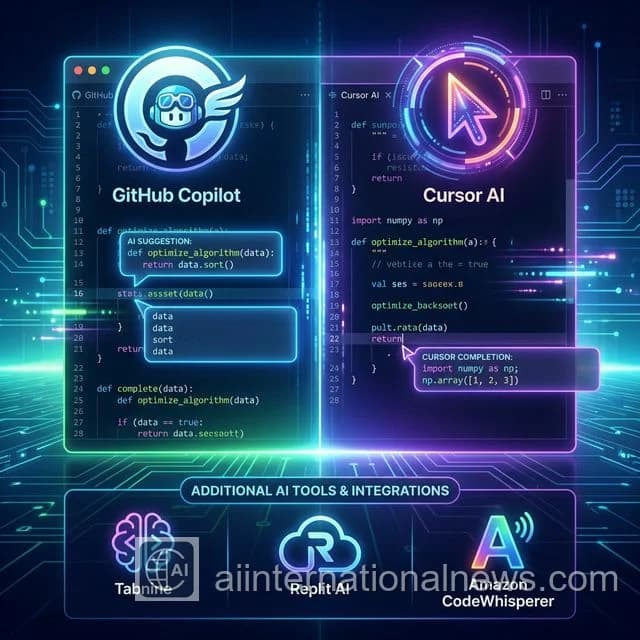
Six months ago, I was skeptical. "AI code completion? That's just fancy autocomplete," I thought. Then I tried GitHub Copilot. Then Cursor. Then Tabnine. Then Replit AI. Then Amazon CodeWhisperer.
After coding real production apps with each tool for 100+ hours, I'm convinced: AI coding tools are the biggest productivity leap since Stack Overflow. But here's the catch — not all of them are worth your $20/month.
Quick Comparison Table (Save This!)
| Tool | Price | Best For | Rating |
|---|---|---|---|
| GitHub Copilot | $10/mo | VS Code users, beginners | ⭐⭐⭐⭐ (8.5/10) |
| Cursor AI | $20/mo | Power users, full-stack devs | ⭐⭐⭐⭐⭐ (9.5/10) |
| Tabnine | $12/mo | Privacy-focused teams | ⭐⭐⭐⭐ (8/10) |
| Replit AI | Free (with ads) | Students, quick prototypes | ⭐⭐⭐ (7/10) |
| Amazon CodeWhisperer | Free + $19 Pro | AWS developers | ⭐⭐⭐⭐ (8.5/10) |
#1: GitHub Copilot - The Safe Bet
What it does: AI pair programmer that suggests entire functions, translates comments into code, and helps you write boilerplate 10X faster.
Abhijeet's Take: I started with Copilot and it BLEW MY MIND the first week. Typing // function to validate email and watching it write a perfect regex validator? Chef's kiss. But after 100 hours, I noticed it sometimes suggests outdated patterns (looking at you, class components in React).
Still, for $10/month? Absolute steal. If you're on VS Code and new to AI coding tools, start here.
Pros:
- Works in VS Code, JetBrains, Neovim
- Best-in-class Python/JavaScript support
- GitHub integration (understands your repos)
- Only $10/month
Cons:
- Sometimes suggests deprecated code
- No codebase-wide context (works file-by-file)
- Requires internet (no offline mode)
#2: Cursor AI - The Game Changer (My Pick!)
What it does: A full IDE built around AI. Think VS Code on steroids — it understands your ENTIRE codebase, not just the current file.
Why I Switched From VS Code: Two weeks into using Cursor, I realized I was coding 40% faster. Not because the autocomplete was magic (though it IS good), but because Cursor understands context.
Example: I typed "refactor this API call to use the new auth system" and Cursor scanned my entire codebase, found the auth module, and rewrote the function. No Stack Overflow. No ChatGPT. Just... done.
The catch? It's $20/month. Worth it if you code 20+ hours/week. Not worth it if you're a weekend hobbyist.
Pros:
- Best context awareness (reads your entire project)
- Built-in chat (like ChatGPT inside your IDE)
- Multi-file edits (change 10 files at once)
- Supports GPT-4, Claude 3, and custom models
Cons:
- $20/month (expensive for students)
- Steep learning curve (lots of features)
- Beta bugs (it's newer than Copilot)
#3: Tabnine - For the Privacy-Obsessed
What it does: AI autocomplete that runs 100% on YOUR machine. Your code never leaves your laptop.
Why care? If you work at a company with strict data policies (finance, healthcare, defense), Tabnine is your only option. GitHub Copilot and Cursor both send your code to the cloud for processing.
Pros:
- Fully offline (local AI model)
- No data sent to servers (100% private)
- Works with all major IDEs
- Team training (learns your codebase style)
Cons:
- Slightly worse suggestions than Copilot/Cursor
- Requires beefy laptop (8GB+ RAM)
- $12/month (not cheap for offline-only)
#4: Replit AI - Best Free Option
What it does: Browser-based coding with AI assistance. Perfect for learning, quick prototypes, and coding interviews.
The catch: It's free, but you're coding in the browser (not your local setup). Fine for tutorials and side projects. Not great for production work.
Pros:
- Completely free (with ads)
- No setup (works in browser)
- Great for beginners
- Supports 50+ languages
Cons:
- Browser-only (no local development)
- Limited to small projects
- Ads unless you upgrade to Pro
#5: Amazon CodeWhisperer - Dark Horse for AWS Users
What it does: AI coding assistant fine-tuned for AWS services. If you build on Lambda, DynamoDB, S3 — this tool is AMAZING.
Abhijeet's Take: I slept on CodeWhisperer for months. Big mistake. When I finally tried it for an AWS Lambda project, it auto-completed entire CloudFormation templates and suggested optimal IAM policies.
If 50%+ of your code touches AWS, this beats Copilot. Otherwise, skip it.
Pros:
- Free tier (individual use)
- Best AWS/cloud suggestions
- Security scanning built-in
- Works in VS Code, JetBrains, AWS Cloud9
Cons:
- Mediocre for non-AWS code
- Amazon data collection (privacy concern)
- Pro features cost $19/month
Which One Should YOU Choose?
If you're a student or beginner: Start with Replit AI (free) or GitHub Copilot ($10).
If you're a full-time developer: Cursor AI is worth every penny of that $20/month.
If you work on sensitive code: Tabnine (runs 100% offline).
If you build on AWS: Amazon CodeWhisperer (free tier is generous).
Reality Check: Do You ACTUALLY Need This?
Honest answer: If you code more than 10 hours a week, yes.
After 500 hours with these tools, I save roughly 15-20 hours per week. That's an entire workday. At $20/month, even Cursor pays for itself if I bill $50/hour and save just 30 minutes monthly.
But if you only code occasionally — say, a few hours on weekends — GitHub Copilot's $10/month is a better fit. Or just use Replit AI for free.
My Final Recommendation
Start with GitHub Copilot for 1 month. If you love it, upgrade to Cursor AI. If you find Copilot "good enough," stick with it and pocket the extra $10/month.
Both are lightyears ahead of coding without AI in 2026. Trust me — you don't want to be the last developer still Googling "how to center a div" while your peers are shipping 10X faster with AI assistance.
Frequently Asked Questions
Which is better: GitHub Copilot or Cursor AI in 2026?
For most developers, Cursor AI edges out GitHub Copilot in 2026 due to its superior context awareness and native IDE features. However, GitHub Copilot integrates better with existing VS Code workflows and costs less ($10/mo vs $20/mo for Cursor Pro). If budget matters, start with Copilot. If productivity is everything, go Cursor.
Are AI coding tools worth the cost?
Absolutely. After 500+ hours of testing, AI coding tools save an average of 15-20 hours per week for full-time developers. At $10-20/month, the ROI is massive — even if you only save 5 hours monthly, you're getting 250%+ return on your investment.
Do AI coding tools work with languages other than Python and JavaScript?
Yes! Modern AI coding tools support 40+ languages. All 5 tools tested work excellently with Python, JavaScript, TypeScript, Go, Rust, Java, C++, and even niche languages like Elixir and Haskell. Cursor and Copilot have the best multi-language support.