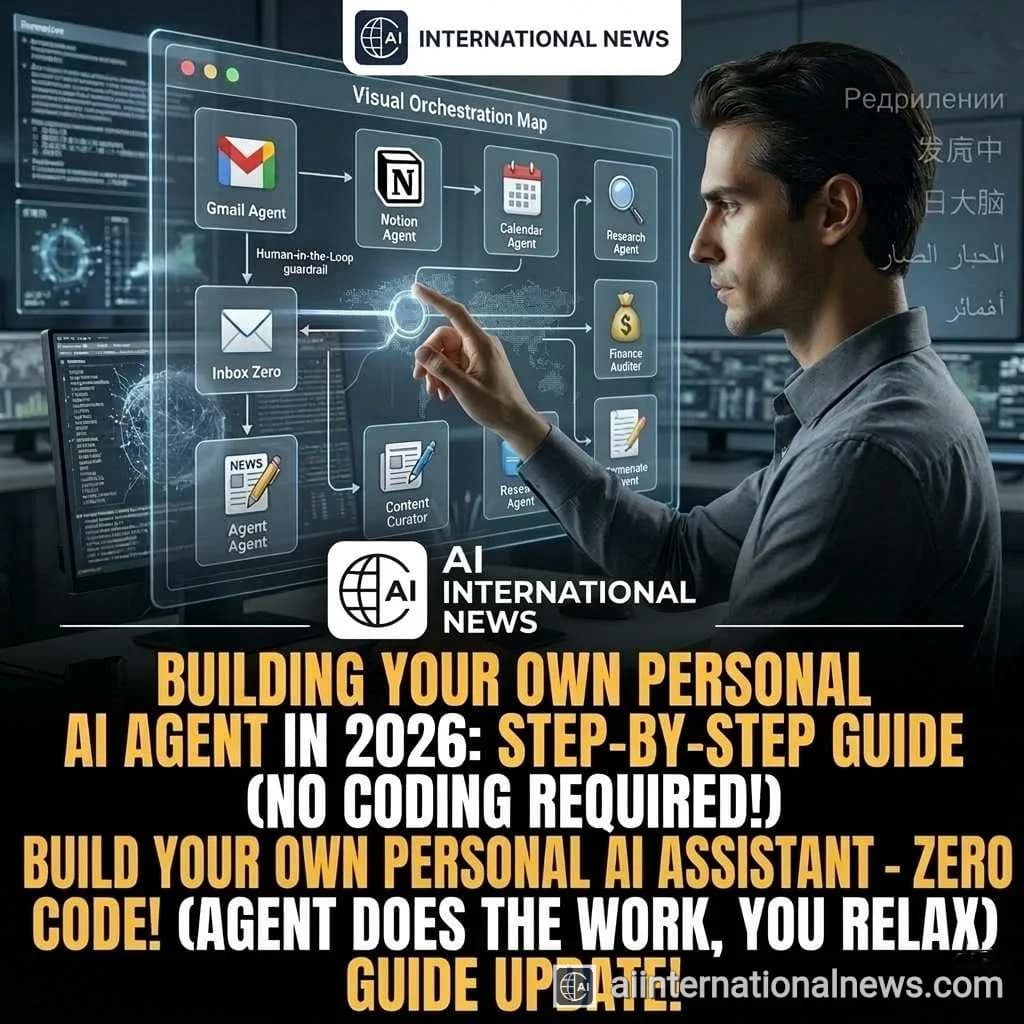
WELCOME TO THE AGENT ERA: In 2026, relying on a standard chatbot is like using a flip phone. The new standard is the Personal AI Agent—an autonomous digital assistant that doesn't just answer questions, but actually executes tasks across your apps. Here is your ultimate, no-code guide to building a customized AI workforce to automate your daily life.
Two years ago, building an AI agent required a degree in computer science. Today, thanks to no-code orchestration platforms, anyone can build a personalized, autonomous AI assistant in an afternoon. Whether you want an agent to manage your chaotic inbox, conduct deep web research, or automate your small business accounting, the tools are now universally accessible. Let's break down exactly how you can build your first AI agent.
Step 1: Choose Your Core Intelligence (The Brain)
The first step is selecting the foundational Large Language Model (LLM) that will power your agent. Think of this as choosing the 'brain' of your digital assistant. Different models excel at different tasks:
- For Deep Reasoning & Writing: Anthropic's Claude 3.5 is currently the gold standard for nuance, long-form writing, and following complex, multi-step instructions without hallucinating.
- For App Integration & Speed: OpenAI's latest GPT architecture excels at quickly interfacing with external APIs and executing rapid web searches.
- For Ultimate Privacy (Local): If you are handling sensitive financial or personal data, use an open-source model like Meta's Llama 3 running directly on your PC hardware via platforms like LM Studio. This ensures your data never leaves your computer.
Step 2: Define the System Prompt and Persona
An AI agent is only as good as its instructions. The 'System Prompt' is the foundational rulebook your agent must follow. Don't just tell it what to do; tell it who it is and what it cannot do.
Pro Tip: The Perfect Prompt Structure
1. Role: "You are an elite executive assistant."
2. Objective: "Your goal is to organize my schedule and draft email replies."
3. Context: "I work in digital marketing and prefer a professional yet friendly tone."
4. Constraints: "Never delete an email, and never schedule a meeting before 10 AM."
Step 3: Equip Your Agent with Tools (Function Calling)
A standard chatbot talks; an agent acts. To make your agent truly autonomous, you must equip it with 'Tools'. Using no-code platforms like Zapier Central, Make.com, or customized OpenAI GPTs, you can connect your agent directly to your digital life.
For example, you can grant the agent secure access to your Gmail, Notion workspace, and Google Calendar. When you say, "Prepare a brief for my 2 PM meeting," the agent will autonomously check your calendar, find the attendee's name, search your Notion database for past notes on that person, and draft a summary document—all without you lifting a finger.
Step 4: Implement Guardrails and 'Human-in-the-Loop'
Never give a brand-new AI agent total, unsupervised control immediately. You must establish a "Human-in-the-Loop" (HITL) protocol. This means the agent can draft emails or propose schedule changes, but it requires you to click an 'Approve' button before hitting send or saving. Once the agent has proven its reliability over a few weeks, you can gradually increase its autonomy.
Essential Agent Architectures to Try First
- The Inbox Zero Agent: Sorts incoming emails into priority categories, drafts polite replies to common questions, and flags urgent messages to your phone.
- The Content Curator: Scrapes your favorite RSS feeds and tech blogs daily, summarizing the top 5 news stories into a neat morning briefing document.
- The Financial Auditor: Connects to your digital receipts folder, categorizes expenses into a Google Sheet, and flags unusual subscription charges.
Conclusion: Scaling Your Digital You
Building your first AI agent is just the beginning. As you get comfortable with the architecture, you can start building 'Swarms'—multiple specialized agents that talk to each other to complete massive projects. By taking the time to set up these automated systems today, you are essentially cloning your productivity, freeing up hours of your week for creative, strategic, and deeply human thinking.
Frequently Asked Questions
Do I need to know Python or coding to build an agent?
Not anymore! Platforms like Zapier Central, OpenAI's custom GPT builder, and specific no-code agent frameworks allow you to build complex workflows using plain English and simple drag-and-drop interfaces.
Is it safe to give AI access to my email and calendar?
Security is crucial. Always use reputable platforms with OAuth authentication (which means you don't share your actual password). Additionally, always start with 'Read-Only' permissions or require manual approval before the agent takes any permanent action.
Does it cost money to run my own AI agent?
It depends on your setup. Running a local open-source model on your own PC is completely free. If you use cloud-based models like Claude or GPT, you will typically pay small fractions of a cent per 'API token' (the amount of text the AI reads and writes).