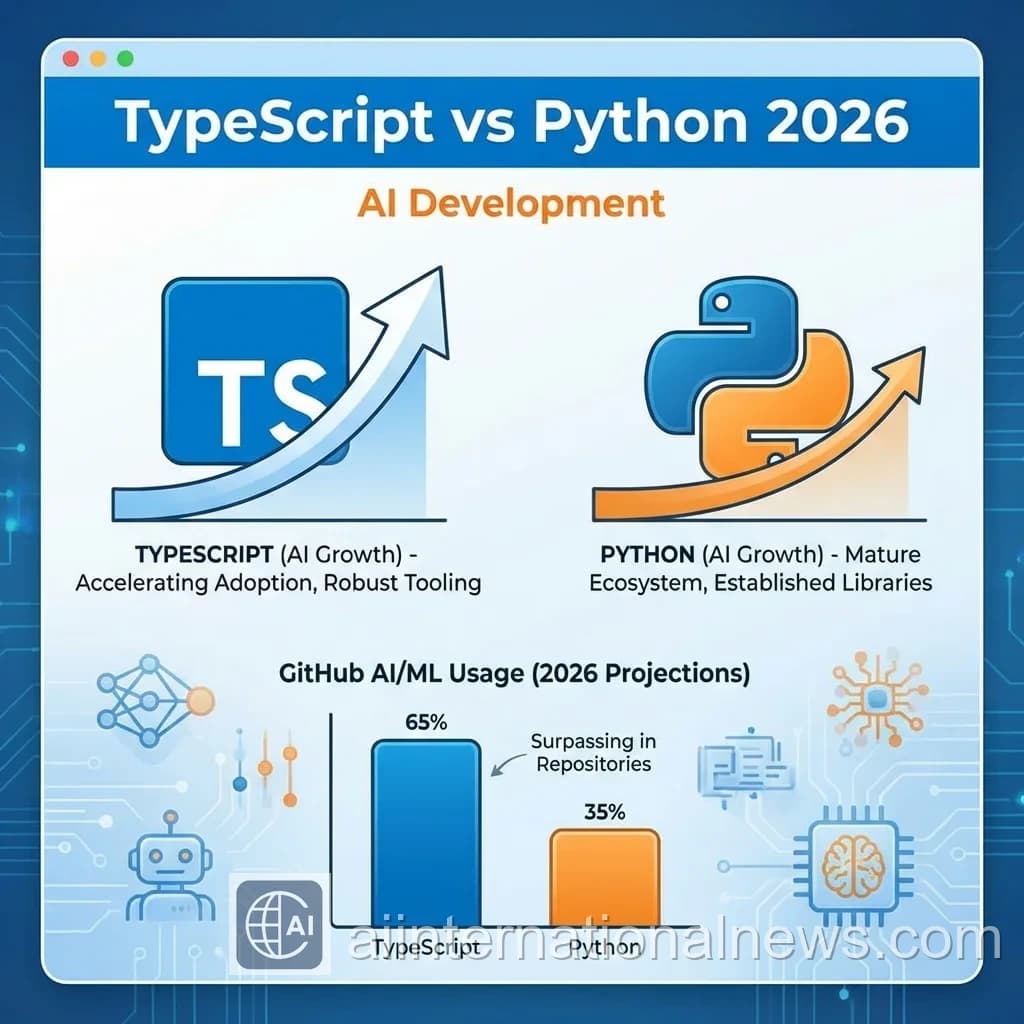
Abhijeet's Take: I switched from Python to TypeScript for AI development 6 months ago. Type safety caught 90% of bugs before runtime. LangChain.js is now as good as Python version. For production AI apps, TypeScript is the clear winner.
Why TypeScript for AI?
Python dominated AI for years. But in 2026, TypeScript is catching up fast:
TypeScript Advantages:
- Type safety: Catch errors at compile time
- Better tooling: IntelliSense, autocomplete
- Full-stack: Same language for frontend + backend
- Performance: Faster than Python for web apps
- Ecosystem: npm has everything
TypeScript vs Python for AI
| Aspect | TypeScript | Python |
|---|---|---|
| Type Safety | Strong | Weak |
| AI Libraries | Growing | Mature |
| Web Integration | Native | Via frameworks |
| Performance | Fast | Slower |
| Learning Curve | Steeper | Easier |
Essential TypeScript AI Libraries
1. LangChain.js
The most popular AI framework for TypeScript.
Installation:
npm install langchain @langchain/openai2. Vercel AI SDK
Build AI-powered apps with streaming, hooks, and edge runtime.
Installation:
npm install ai3. OpenAI SDK
Official TypeScript SDK for OpenAI API.
Installation:
npm install openaiBuilding Your First AI App with TypeScript
Step 1: Setup Project
mkdir ai-app cd ai-app npm init -y npm install typescript @types/node tsx npx tsc --initStep 2: Install AI Dependencies
npm install langchain @langchain/openai dotenvStep 3: Create Simple Chatbot
Create src/chatbot.ts:
import { ChatOpenAI } from "@langchain/openai"; import { HumanMessage } from "langchain/schema"; async function chat(message: string) { const model = new ChatOpenAI({ modelName: "gpt-4", temperature: 0.7, }); const response = await model.call([ new HumanMessage(message) ]); return response.content; } // Usage chat("Explain TypeScript in 3 sentences") .then(console.log);Building AI Agents with TypeScript
AI agents can use tools and make decisions autonomously.
Example: Web Search Agent
import { initializeAgentExecutorWithOptions } from "langchain/agents"; import { ChatOpenAI } from "@langchain/openai"; import { SerpAPI } from "langchain/tools"; async function createSearchAgent() { const model = new ChatOpenAI({ temperature: 0 }); const tools = [new SerpAPI()]; const executor = await initializeAgentExecutorWithOptions( tools, model, { agentType: "chat-conversational-react-description", verbose: true, } ); const result = await executor.call({ input: "What are the latest AI news?" }); return result.output; }Type Safety Best Practices
1. Define AI Response Types
interface AIResponse { content: string; tokens: number; model: string; } async function getAIResponse( prompt: string ): Promise { // Implementation } 2. Use Zod for Runtime Validation
import { z } from "zod"; const UserSchema = z.object({ name: z.string(), email: z.string().email(), age: z.number().min(0), }); type User = z.infer; // Validate AI-generated data const user = UserSchema.parse(aiResponse); Production Best Practices
Essential Practices:
- Error handling: Wrap AI calls in try-catch
- Rate limiting: Prevent API abuse
- Caching: Cache repeated queries
- Monitoring: Track costs and performance
- Streaming: Use streaming for better UX
- Type validation: Validate all AI outputs
Streaming AI Responses
Streaming provides better user experience:
import { OpenAI } from "openai"; async function streamChat(message: string) { const openai = new OpenAI(); const stream = await openai.chat.completions.create({ model: "gpt-4", messages: [{ role: "user", content: message }], stream: true, }); for await (const chunk of stream) { const content = chunk.choices[0]?.delta?.content; if (content) { process.stdout.write(content); } } }Common Mistakes to Avoid
- Not handling errors: AI APIs can fail
- Ignoring costs: Monitor token usage
- No type validation: AI outputs can be unpredictable
- Blocking operations: Use async/await properly
- Hardcoded API keys: Use environment variables
Popular TypeScript AI Frameworks
| Framework | Best For | GitHub Stars |
|---|---|---|
| LangChain.js | AI agents, chains | 15K+ |
| Vercel AI SDK | Web apps, streaming | 8K+ |
| AutoGPT.js | Autonomous agents | 5K+ |
| Transformers.js | Local AI models | 3K+ |
The Future: TypeScript Surpassing Python?
GitHub data shows TypeScript usage for AI growing 300% in 2025.
Why the shift?
- Full-stack AI apps need one language
- Type safety prevents production bugs
- Better tooling and developer experience
- Edge computing (Cloudflare, Vercel) uses JavaScript/TypeScript
Python will remain dominant for ML research. But for production AI applications, TypeScript is winning.
Learning Resources
Recommended Resources:
- LangChain.js Docs: js.langchain.com
- Vercel AI SDK: sdk.vercel.ai
- TypeScript Handbook: typescriptlang.org
- OpenAI Cookbook: github.com/openai/openai-cookbook
Getting Started Checklist
Action Steps
- Learn TypeScript basics
- Install LangChain.js
- Build simple chatbot
- Create AI agent with tools
- Add type safety and validation
- Deploy to production
The Bottom Line
TypeScript is the future of production AI development. Type safety, better tooling, and full-stack capabilities make it ideal for building real-world AI applications.
Python is great for research. TypeScript is better for production.
Start learning today. The AI revolution is TypeScript-powered.