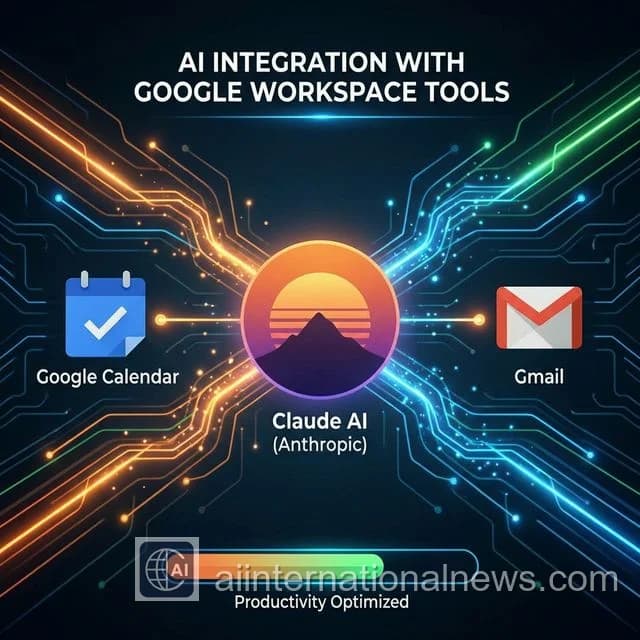
Forget copying and pasting emails into ChatGPT. Anthropic just made Claude a fully functional AI assistant for your Workspace. This guide walks you through every step of connecting Claude to Gmail and Google Calendar, what you can do with it, and how to stay safe while doing it.
What Can Claude Do With Gmail?
- Summarize unread emails from the last 24 hours in bullet points
- Draft professional replies in your tone and style
- Search emails by topic, sender, or date using natural language
- Label and organize your inbox automatically
- Flag urgent emails that need your immediate attention
What Can Claude Do With Google Calendar?
- Check your availability and find free slots for meetings
- Create events based on your conversations
- Get a daily briefing — "What's on my schedule for today?"
- Send meeting invites to contacts directly from Claude
- Reschedule or cancel events using plain English
Abhijeet's Take: I tested this for an entire workday. Instead of opening Gmail 30 times, I asked Claude at 9 AM: "Summarize my unread emails and tell me what requires action today." It nailed it in 15 seconds. This is the productivity unlock I didn't know I needed.
Step-by-Step Setup Guide
Step 1: Create or Log In to Your Anthropic Account
Go to console.anthropic.com and sign in. You'll need a Claude Team or Pro plan for Workspace integrations.
Step 2: Navigate to Integrations
In the Claude dashboard, click on your profile icon → Settings → Integrations. You'll see a list of available connectors including Google Workspace.
Step 3: Enable Google Workspace Connector
Find Google Workspace in the list and click Enable. You'll be redirected to Google's OAuth screen.
Step 4: Grant Permissions
Google will ask you to grant Claude specific permissions. Recommended settings:
- Gmail: Read and Send (or Read-Only if you prefer)
- Google Calendar: Read and Write
- Google Contacts: Read-Only (for better email addressing)
Step 5: Test the Integration
Go to Claude and type these test prompts:
- "What emails have I received today that need urgent attention?"
- "What meetings do I have tomorrow?"
- "Schedule a 30-minute call with [Name] for Friday at 3 PM."
Privacy & Security: Is It Safe?
Using Google OAuth 2.0, the integration is as secure as any app you've already connected to your Google account (like Zoom, Slack, or Notion). Key safety facts:
- Anthropic uses your email data only to fulfill your requests — not for training
- You can revoke access anytime from your Google account security settings
- No email content is permanently stored by Anthropic after the conversation
- Don't use with emails containing highly sensitive documents (legal, medical)
Power User Prompts to Try
- "Summarize all emails from last week about the Q1 marketing campaign."
- "Draft a polite follow-up to the email from Rahul about the invoice."
- "Find a free 2-hour block this week for a deep work session."
- "Which meetings this week don't have an agenda attached?"
- "Create a recurring Monday 9 AM standup in my calendar."
Frequently Asked Questions
Can Claude AI access my Gmail?
Yes. Anthropic has released an official Google Workspace connector that allows Claude to read, summarize, draft, and reply to emails in Gmail with your permission.
Is the Claude-Gmail integration safe?
The integration uses Google OAuth 2.0, the same secure protocol used by all Google-approved third-party apps. Anthropic does not store your email content for training purposes when using the integration.
Does Claude Google Calendar integration require a paid plan?
The Google Workspace integrations are available on Claude's Team and Enterprise plans. As of February 2026, they may also be available to Claude Pro subscribers in limited beta.